Let vacation be vacation.
Give a teammate the reins while someone is away. Schedule the return before they even leave.
Temporary handoffReassign tasks and CRM records in Bitrix24. Cover a vacation or hand over a role, with a clear view of every change.
Available on Bitrix24 Market by EMCsoft
Illustrative example · fictional team members
One handoff.
All the moving parts.
A change of plans shouldn’t turn a handover into a project of its own.
Give a teammate the reins while someone is away. Schedule the return before they even leave.
Temporary handoffHand tasks and customer records to the person taking over. Skip the one-by-one reassignment.
Permanent transferRedistribute responsibility as your team evolves. Make room for the work that comes next.
Workload redistributionYou set the conditions.
Handoff handles the transfer.
Pick the people, records, and a temporary or permanent transfer.
Preview the scope. Use a dry run to simulate without changing data.
Track item statuses in the history and retry errors when needed.
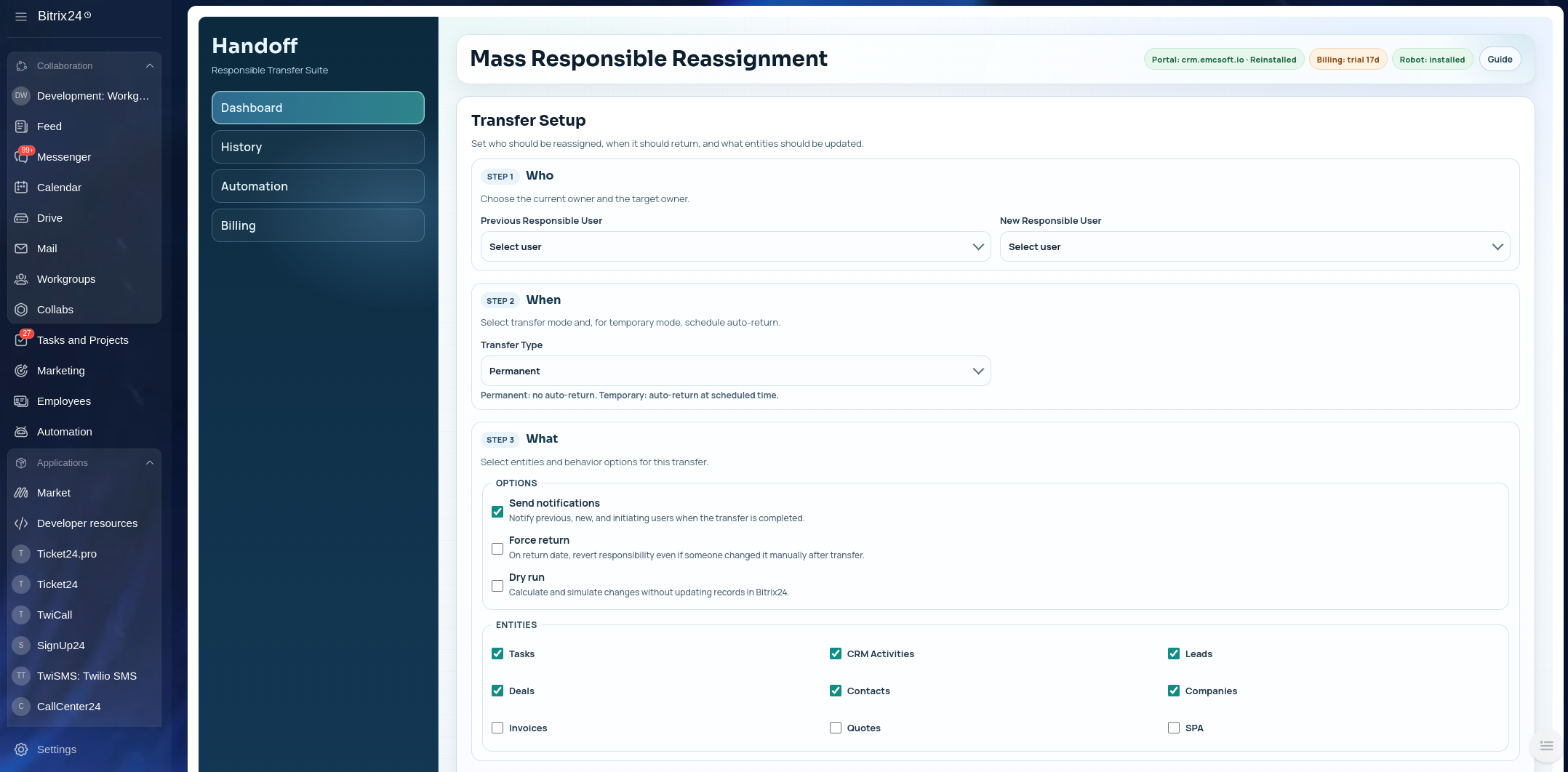
This is your team’s real work. Know what’s about to happen, and see what happened after.
Check the scope and simulate your setup before changing ownership.
Operation history and individual item statuses keep the outcome visible.
With Force return off, manual ownership changes made after the transfer are preserved.
The “Change Related Responsible” CRM rule helps update ownership in linked records.

Add Handoff to your Bitrix24
and set up your first transfer.
You’ll need installation permissions
and REST API access on your portal.
Tasks, CRM activities, leads, deals, contacts, companies, invoices, quotes, and smart process items. Choose the entity types when setting up your handoff.
Yes. Set a return date and time for a temporary transfer. Keep Force return off to preserve ownership changes made manually after the handoff.
Yes. Preview counts the selected items. Dry run simulates the operation without changing your Bitrix24 data.
App installation permissions and a portal with REST API access. The CRM rule also requires automation or business process capabilities on your Bitrix24 plan.
Read the End-User License Agreement and Privacy Policy. Requested permissions and installation instructions are on the Handoff listing in Bitrix24 Market.